What's new in Billda
Every week we ship improvements to Billda. Here's a record of what's changed.
Dashboard queues & org-wide auto-submit
The dashboard now surfaces what needs your attention, auto-submit can cover the whole organisation, and admins get full control of deductions.
- Dashboard action queues: pots awaiting approval and work needing review in one place, oldest first so nothing lingers
- Organisation-wide auto-submit: one setting submits every pot at the deadline; gangs and contractors keep their personal opt-out, and the settings page shows who's using it
- Portal settings rebuilt as a full page split into clear areas, ready to grow
- Cancel any deduction from the portal, whoever created it, right up until the pot is approved
- One approval covers everything: approving a pot now approves its deductions too
- Reviewers see the plot's other booked and approved work while reviewing an item, so overlapping claims stand out instantly
Booked-work report & a sharper burndown
A new Activity report lists every booked labour item with CSV export, whole folders upload in one drag, and the site burndown chart levels up.
- Booked-work list under Activity: every booked item between two dates with value, % complete, who booked it, site and plot, exportable to CSV
- Drag a whole folder into site files and the structure comes with it
- Burndown chart upgrade: a dedicated unbooked line, variations shown above total labour, and sharper numbers underneath
- Smoother mobile scrolling, with every list row clearing the floating bottom nav
- Under the hood: portal and mobile now share a generated, type-safe API client, so app and backend always agree
Booking photos, now on labour items
Photo evidence, already on variations, now covers labour-item bookings too: proof of work that travels with the booking all the way to approval.
- Attach photos when booking a labour item, just like variations, visible to the approver and in the portal
- Add or swap photos freely right up to approval; after that they're locked in as the record of work
- Missed-verification pots now surface in the mobile app with a built-in help guide walking you through next steps
- Clearer status naming: "Missed Verification Deadline" tells you exactly where a pot stands
Pots that keep themselves moving
Pots now recover from stalls on their own, and labour items can be cancelled straight from approval review.
- Self-recovering pots: if a pot stalls mid-week the platform detects it and moves it on automatically, keeping every week flowing
- Cancel a labour item directly from the approval review screen and resolve issues where you spot them
- Groundwork laid for the next-generation portal
Folders for site files
Site files get real folders, and the landing page gets a changelog, contact form, and printable gang-leader handout.
- Full folder system for site files: create nested folders, move and rename files, and restore anything you need back
- Downloads arrive with their proper filenames, special characters included
- Public changelog page (the one you're reading) plus a call button and contact form on the landing site
- Printable gang-leader leaflet to hand out on site
Monorepo overhaul, upload tray & mobile polish
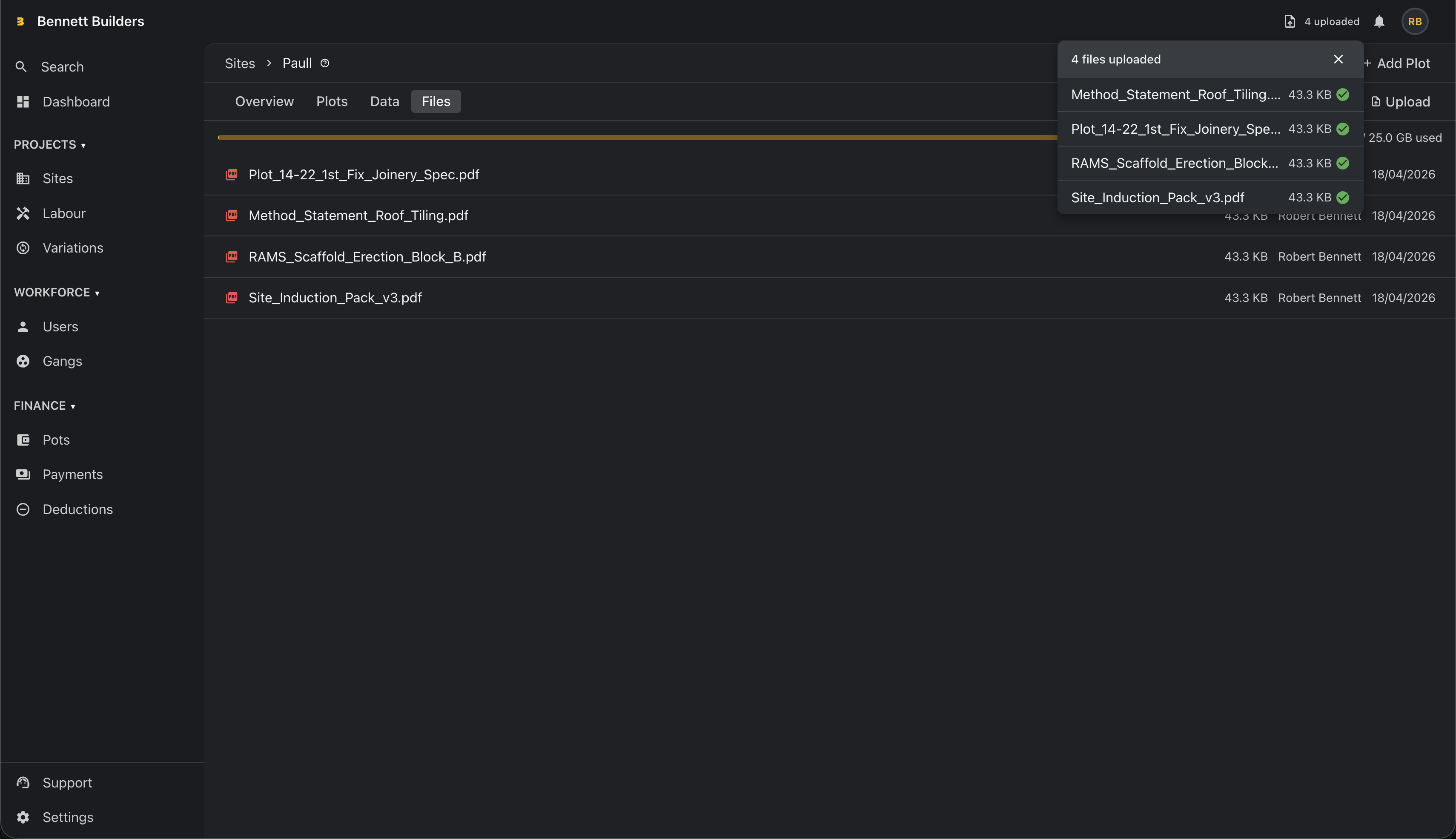
A major codebase reorganisation plus a new persistent upload tray for site files and mobile form modernisation.
- New persistent upload tray — drag-and-drop bulk uploads with live progress, speed, ETA, and retry that stays pinned while you navigate
- Move-to-primary-pot action lets admins promote or merge non-primary carried-over pots so negative or leftover pots don't block the period
- Monorepo reorganised into apps/, backend/, packages/, and tools/ for clearer boundaries and faster builds
- Portal and mobile restructured into strict vertical feature slices
- Mobile forms migrated from Yup to Zod, now aligned with the booking form patterns
- Portal migrated to the new @billda/api v2 client; legacy v1 endpoints removed
- Android heads-up banner notifications and native app version on the profile screen
- Site import flow refactored to FormProvider with extracted hooks and a Zod schema
- Job runner gains App Insights telemetry and timezone/ICU support for reliable scheduled work
Monorepo overhaul, upload tray & mobile polish
A major codebase reorganisation plus a new persistent upload tray for site files and mobile form modernisation.
- New persistent upload tray — drag-and-drop bulk uploads with live progress, speed, ETA, and retry that stays pinned while you navigate
- Move-to-primary-pot action lets admins promote or merge non-primary carried-over pots so negative or leftover pots don't block the period
- Monorepo reorganised into apps/, backend/, packages/, and tools/ for clearer boundaries and faster builds
- Portal and mobile restructured into strict vertical feature slices
- Mobile forms migrated from Yup to Zod, now aligned with the booking form patterns
- Portal migrated to the new @billda/api v2 client; legacy v1 endpoints removed
- Android heads-up banner notifications and native app version on the profile screen
- Site import flow refactored to FormProvider with extracted hooks and a Zod schema
- Job runner gains App Insights telemetry and timezone/ICU support for reliable scheduled work
Site files, variations list & pot auto-submission
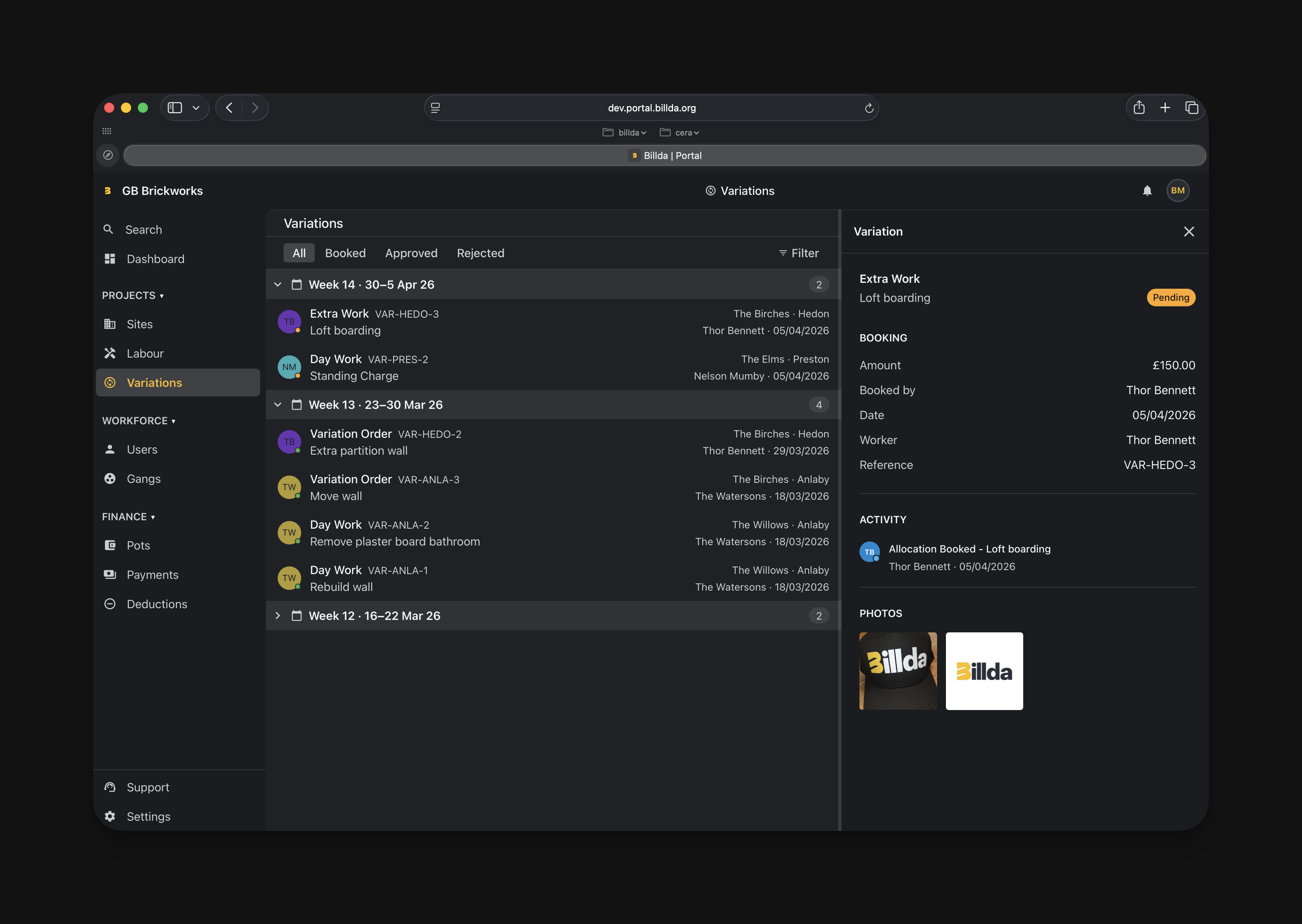
Site managers can now attach files directly to sites, admins get an org-wide variations view, and pots gain auto-submit scheduling.
- Upload PDFs, images, spreadsheets, and documents directly to sites; download with live progress feedback; duplicate filenames blocked automatically
- New org-wide variations list page — browse all variation requests, filter by site or status, grouped by payment period week
- Ad-hoc workers can now view pots they're part of, including submitted pots and rejection reasons on the review screen
- Pots can be set to auto-submit on a recurring schedule — no more manual submission each week
- Rejected allocations can now be cancelled; admin cancellations appear in the allocation event timeline
- Contractors see available (unbooked) plot value before booking, reducing back-and-forth with site managers
- Contrast fixes across portal and mobile; variation description field capped to prevent overflow on approval screens
Site files, variations list & pot auto-submission
Site managers can now attach files directly to sites, admins get an org-wide variations view, and pots gain auto-submit scheduling.
- Upload PDFs, images, spreadsheets, and documents directly to sites; download with live progress feedback; duplicate filenames blocked automatically
- New org-wide variations list page — browse all variation requests, filter by site or status, grouped by payment period week
- Ad-hoc workers can now view pots they're part of, including submitted pots and rejection reasons on the review screen
- Pots can be set to auto-submit on a recurring schedule — no more manual submission each week
- Rejected allocations can now be cancelled; admin cancellations appear in the allocation event timeline
- Contractors see available (unbooked) plot value before booking, reducing back-and-forth with site managers
- Contrast fixes across portal and mobile; variation description field capped to prevent overflow on approval screens
Offboarding, invoice PDFs & org onboarding
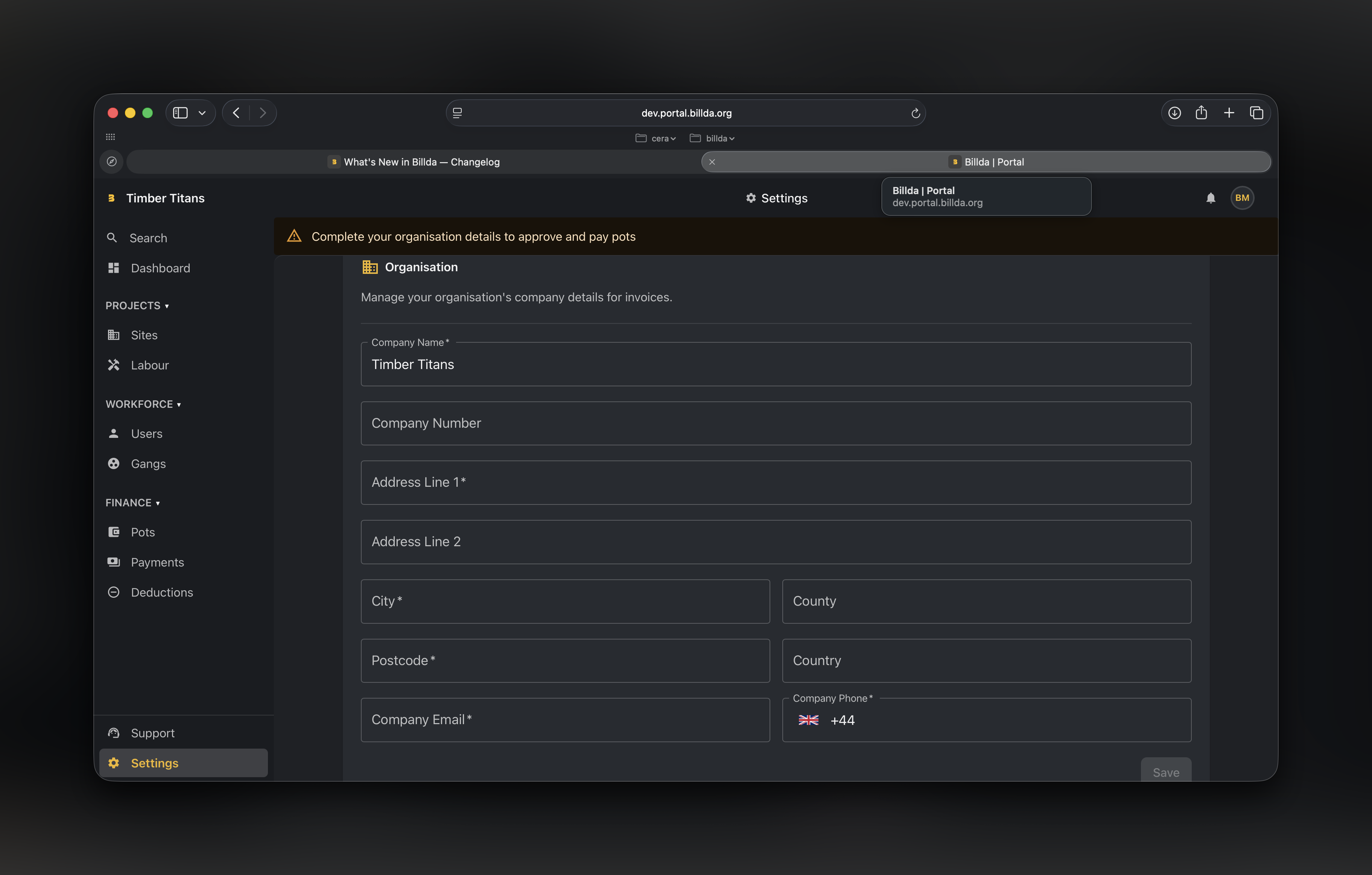
Workers can now be offboarded from gangs, invoices generate as PDFs, and new organisations collect key details at sign-up.
- Offboard gang members with dedicated role and permissions — removes workers from active splits while preserving history
- Generate invoice PDFs for completed payment runs
- Collect organisation details during sign-up and allow login before an org is created
- Consolidate split configuration onto individual gang members for clearer payout management
- Site burndown chart showing progress against planned work
- Simplified pricing page with a unified £2/week everything-included model
- Fixed finance navigation bugs: week selection preserved on back-nav, no more 404 loop on first load
- Cleaner CSV payment exports and reduced auth error noise in observability
Offboarding, invoice PDFs & org onboarding
Workers can now be offboarded from gangs, invoices generate as PDFs, and new organisations collect key details at sign-up.
- Offboard gang members with dedicated role and permissions — removes workers from active splits while preserving history
- Generate invoice PDFs for completed payment runs
- Collect organisation details during sign-up and allow login before an org is created
- Consolidate split configuration onto individual gang members for clearer payout management
- Site burndown chart showing progress against planned work
- Simplified pricing page with a unified £2/week everything-included model
- Fixed finance navigation bugs: week selection preserved on back-nav, no more 404 loop on first load
- Cleaner CSV payment exports and reduced auth error noise in observability
Admin dashboard, onboarding polish & .NET 10
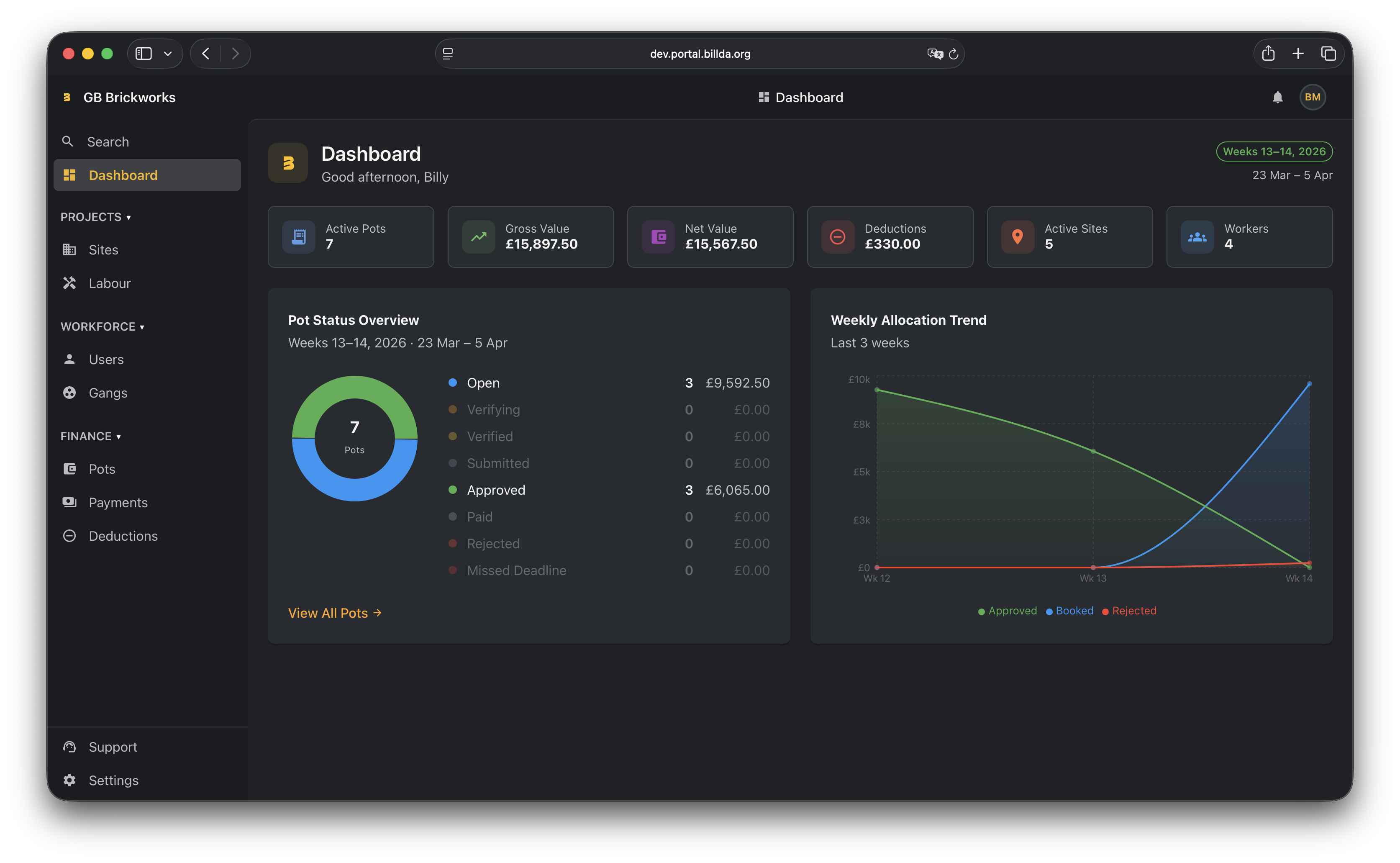
New admin dashboard with real-time metrics and charts, a smoother onboarding experience for early adopters, and a major backend upgrade to .NET 10.
- Admin dashboard with metrics cards, pot status donut chart, and weekly allocation trends across multiple periods
- Guided onboarding flow with persistent progress FAB, auto-populated fields, and clearer invite/assignment steps
- Full-screen user detail page for assigning workers to sites
- Streamlined mobile booking — removed part/full drawer and redesigned gang/solo pot selection
- Rich empty states across portal pots, deductions, and payments pages
- Feature switch management for platform admins with categories and flag graduation
- Backend upgraded to .NET 10 with Vite 8 and Vitest 4 on the frontend
Admin dashboard, onboarding polish & .NET 10
New admin dashboard with real-time metrics and charts, a smoother onboarding experience for early adopters, and a major backend upgrade to .NET 10.
- Admin dashboard with metrics cards, pot status donut chart, and weekly allocation trends across multiple periods
- Guided onboarding flow with persistent progress FAB, auto-populated fields, and clearer invite/assignment steps
- Full-screen user detail page for assigning workers to sites
- Streamlined mobile booking — removed part/full drawer and redesigned gang/solo pot selection
- Rich empty states across portal pots, deductions, and payments pages
- Feature switch management for platform admins with categories and flag graduation
- Backend upgraded to .NET 10 with Vite 8 and Vitest 4 on the frontend
Ready for early adopters
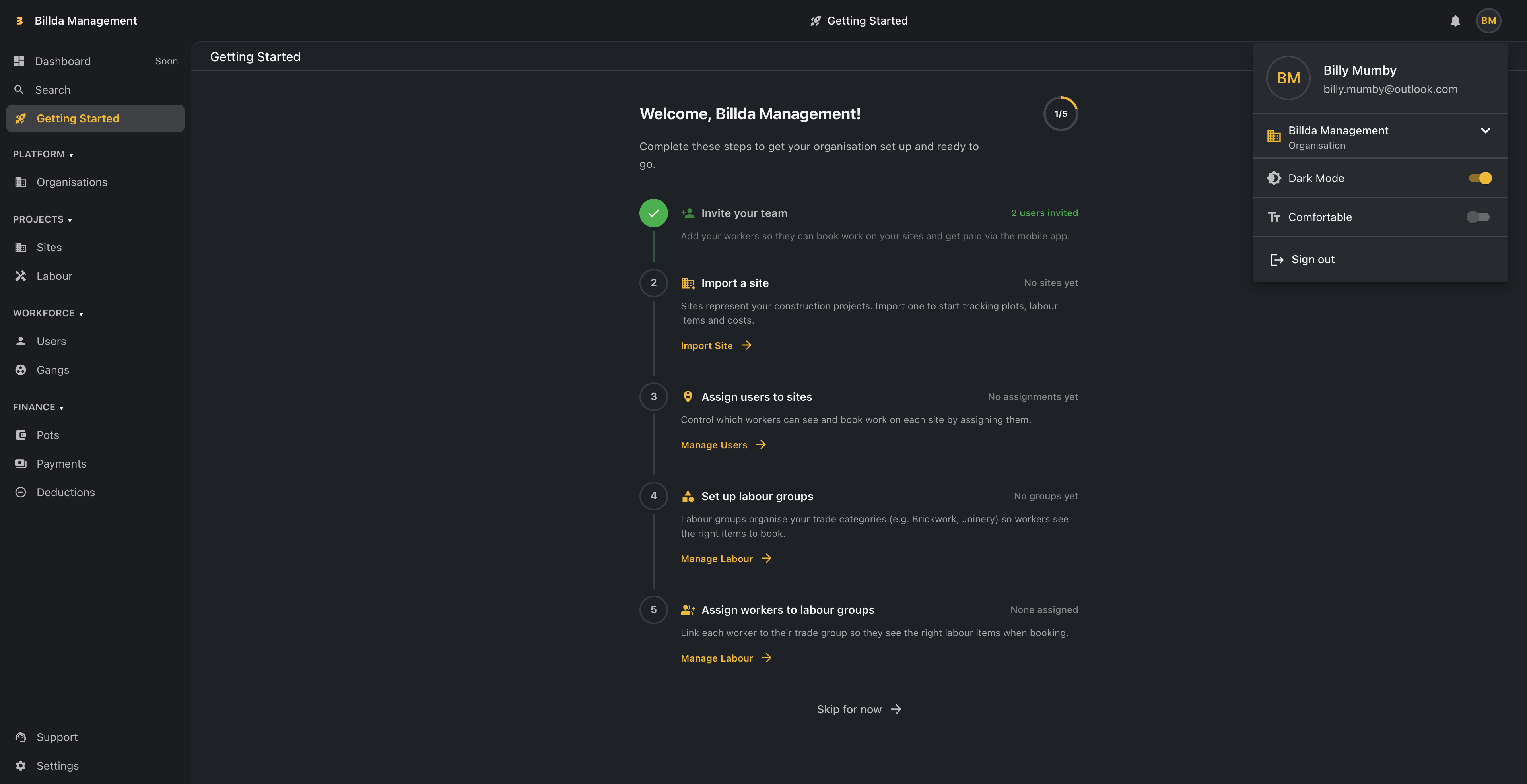
Guided onboarding, light theme, and gang management tools ship ahead of our first early-adopter cohort next week.
- Platform admin tools: internal staff can now create and manage organisations from the portal, with welcome emails and invitation tracking, ready for next week's early-adopter onboarding
- Getting-started checklist guides new org owners through site import, team setup, and first booking after accepting their invitation
- Trade-specific CSV templates let new users import a pre-built site for their trade (joinery, plumbing, electrical, bricklaying, timber frame) in one click
- Full light theme: every screen across portal and mobile now has a useable light mode with correct status bar colours
- Gang deletion and role management: admins can soft-delete gangs with no active pots and change any user's role from the portal
- Delete variation images before approval, and view variation photos on the admin approval page
- Rebuilt swipe-to-go-back navigation fixes profile switching, pot details, and allocation view back-gesture bugs
Ready for early adopters
Guided onboarding, light theme, and gang management tools ship ahead of our first early-adopter cohort next week.
- Platform admin tools: internal staff can now create and manage organisations from the portal, with welcome emails and invitation tracking, ready for next week's early-adopter onboarding
- Getting-started checklist guides new org owners through site import, team setup, and first booking after accepting their invitation
- Trade-specific CSV templates let new users import a pre-built site for their trade (joinery, plumbing, electrical, bricklaying, timber frame) in one click
- Full light theme: every screen across portal and mobile now has a useable light mode with correct status bar colours
- Gang deletion and role management: admins can soft-delete gangs with no active pots and change any user's role from the portal
- Delete variation images before approval, and view variation photos on the admin approval page
- Rebuilt swipe-to-go-back navigation fixes profile switching, pot details, and allocation view back-gesture bugs
Portal redesign, variation images & deduction controls
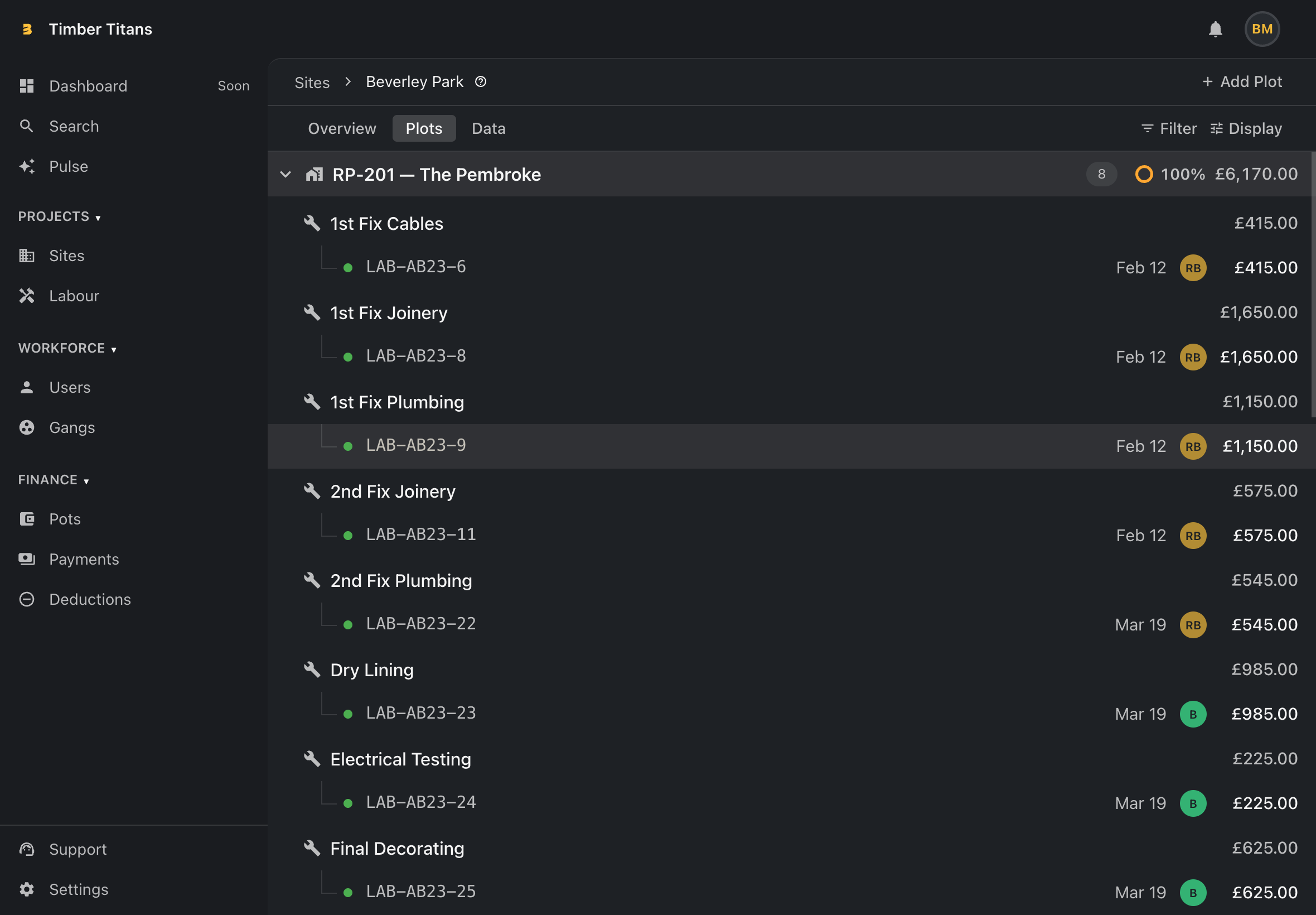
A complete portal mobile-first overhaul, photo uploads on variations, and full back-office deduction management.
- Fully responsive portal — new collapsible sidebar, breadcrumb navigation, and every list view rebuilt for mobile and tablet
- Compact/comfortable density toggle lets users switch between information-dense and spacious layouts
- Upload and view photos on variation allocations with background upload support on iOS and Android
- Back-office admins can now create, edit, and cancel deductions — with push notifications to gang leaders
- Slider mode on the pot split screen for quicker, more intuitive wage adjustments
- Ad-hoc workers now appear correctly on payments, and solo pot owners can edit or remove them before submitting
- Swipe-to-go-back gesture previews on mobile with navigation loop fixes across booking and detail screens
Portal redesign, variation images & deduction controls
A complete portal mobile-first overhaul, photo uploads on variations, and full back-office deduction management.
- Fully responsive portal — new collapsible sidebar, breadcrumb navigation, and every list view rebuilt for mobile and tablet
- Compact/comfortable density toggle lets users switch between information-dense and spacious layouts
- Upload and view photos on variation allocations with background upload support on iOS and Android
- Back-office admins can now create, edit, and cancel deductions — with push notifications to gang leaders
- Slider mode on the pot split screen for quicker, more intuitive wage adjustments
- Ad-hoc workers now appear correctly on payments, and solo pot owners can edit or remove them before submitting
- Swipe-to-go-back gesture previews on mobile with navigation loop fixes across booking and detail screens
Push notifications, mobile polish & deployment overhaul
The biggest infrastructure investment since launch — keeping workers informed and the app feeling great.
- Full push notification system: booking reminders, submission deadlines, and pot lifecycle events
- Per-organisation toggle so admins control which notifications their teams receive
- Mobile app v2 visual overhaul — new skin, improved swipe gestures, and a unified skeleton loading system
- Redesigned profile screen with cleaner layout and faster access to details
- Finance portal gains a dedicated deductions tab and admin deduction tools
- New CI/CD pipeline consolidates all deployments behind a single approval gate
Gang settings, payment history & worker pot visibility
More transparency for workers and gang leaders — less chasing supervisors for information.
- Gang leaders can view per-member payment history directly from the gang settings screen
- Workers now have broader visibility into pots on their sites
- Payment breakdowns stay visible after a pot is marked as paid — full audit trail preserved
- Equal split overrides are now honoured correctly when booking new allocations
- Role hierarchy ordering added to the admin portal invite flow
Billda ships its first build
The first version of Billda is live — mobile app, admin portal, and real site data, all talking to each other.
- Mobile app live on iOS and Android: workers can log in, view their sites, and see plot breakdowns
- Admin portal lets supervisors manage sites, assign workers, and track allocations
- Magic-link email authentication — no passwords, no friction
- Real site data wired up end-to-end, replacing all mock data
- Railway deployment pipeline in place with automatic CI builds
- Shared theming across mobile and admin portal from day one